
In this guide
- What a curtain motor knows: end-limits, travel and position
- The four commands and how a keypad button uses them
- Positions in scenes: sheer and blackout layers, worked for a Hyderabad home
- Groups, split pairs and staggered movement
- Schedules, sun, heat and sensor rules — and manual override
- Obstacles, children, power cuts and offline behaviour
- Seven mistakes that make curtain automation annoying
- How Pert delivers it (designed, not DIY)
- FAQs
This article is part of our wider coverage of home automation in Hyderabad. The hardware side — measuring windows, choosing tracks and sizing motors — is covered in how to measure windows and choose tracks for motorised curtains, and the energy case in smart curtains and energy savings in Hyderabad. This one is about behaviour: what the curtain does, when and why.
What a curtain motor knows: end-limits, travel and position
A motorised curtain is a tubular or track motor pulling a carrier along a rail. On its own, it does not know how wide your window is. Everything sensible it does later depends on three things being set up correctly at commissioning.
1. End-limits
The open limit is where the curtain stops when fully open, usually with the fabric stacked neatly beside the window rather than over the glass. The closed limit is where it stops when fully closed: meeting in the middle for a split pair, or touching the wall return for a one-way curtain. Most modern curtain motors find or learn these limits during setup, either by running to the physical ends of the track or by having the installer set them. Get them wrong and you live with a curtain that leaves a 5cm light gap at 6am, or one that strains against the end bracket every evening.
2. Travel time and position
Once both limits are known, the motor can treat the run between them as 0–100%. Different motors and systems use different conventions (some count 100% as open, others as closed), so in a designed system the convention is fixed once and every scene, app tile and schedule uses the same one. In this article, 0% means fully closed and 100% means fully open. Position is what lets a scene say “sheer 100%, blackout 40%” instead of only open or closed.
3. Re-calibration
A motor tracks position by counting its own movement, so anything that moves the curtain without the motor knowing — a strong manual pull on some motor types, a track adjustment, a fabric change — can make the reported position drift. The fix is a quick re-run to the limits, which is part of a good post-move-in check. If the app says “closed” and the window shows a gap, the limits need attention, not the scene.
| What the system stores | Set when | What goes wrong if it is off |
|---|---|---|
| Open limit | Commissioning, after fabric is hung | Fabric left over the glass when “open”; stack hits a wardrobe or AC unit |
| Closed limit | Commissioning | Light gap at the centre or wall edge; motor straining at the end |
| Direction | Commissioning | “Open” closes the curtain — common on mirrored left/right windows |
| Position convention | System design, once for the whole home | One room's 30% looks like another room's 70% |
| Scene positions | Commissioning, then fine-tuned after move-in | Scenes feel “almost right” but never quite |
The four commands and how a keypad button uses them
Underneath every app slider and keypad button, the gateway sends a curtain one of four commands:
- Open — run to the open limit.
- Close — run to the closed limit.
- Stop — stop wherever it is now.
- Go to position — move to a set percentage, for example 40%.
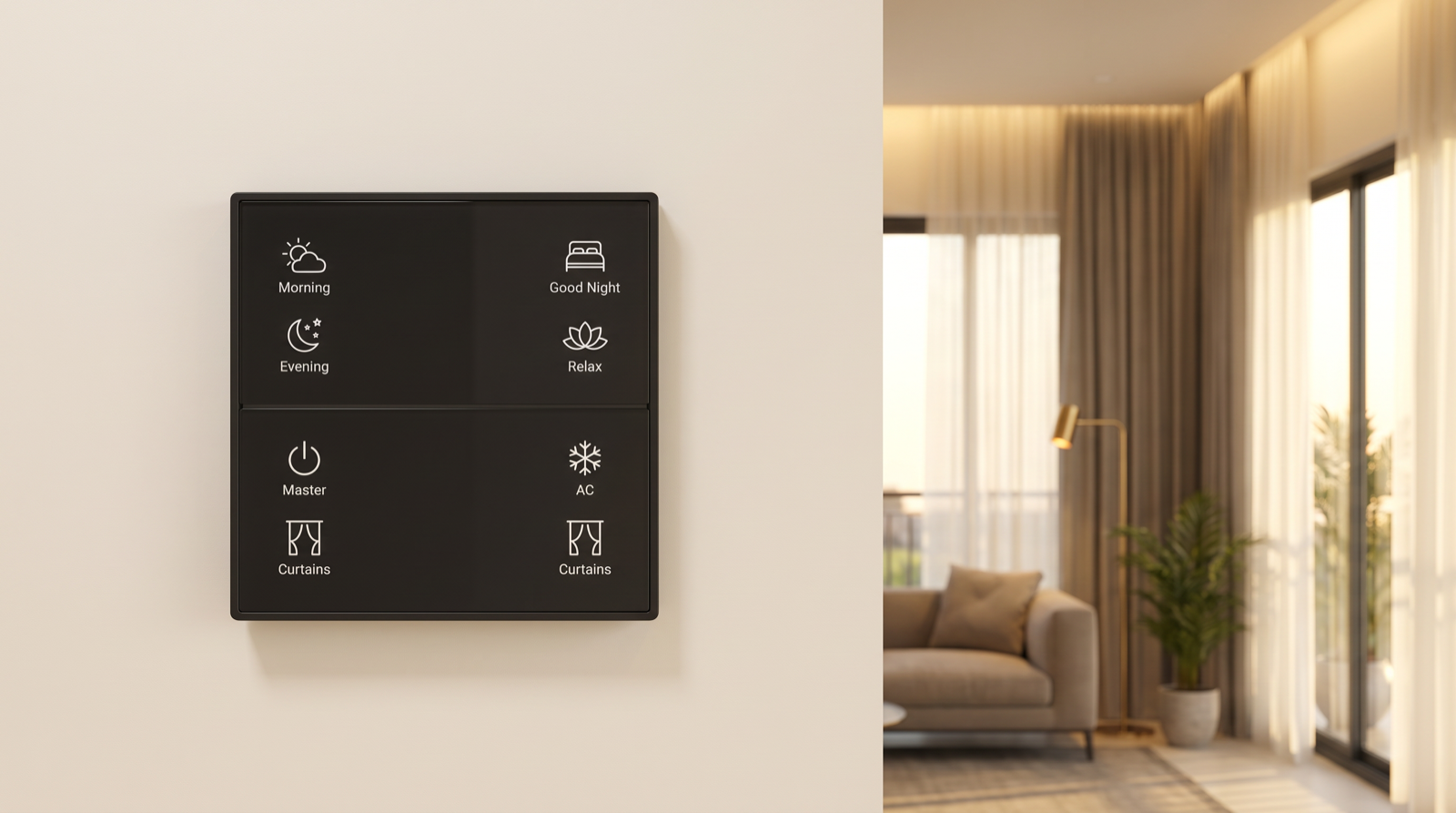
How those commands are mapped to buttons is a design decision, and it matters more than people expect. On a Stella keypad there are two common patterns:
| Pattern | How it behaves | Best for |
|---|---|---|
| One button per curtain (cycle) | Press: open. Press while moving: stop. Press again: close. Then repeat. | Bedside keypads and smaller plates where buttons are limited; users who like to stop the curtain by eye |
| Two buttons per curtain (open / close) | One button opens, the other closes; pressing either while moving stops it | Living rooms and anyone who finds “cycle” confusing, such as guests, elders and staff |
| Layer buttons | One button for the sheer, one for the blackout, each cycling or open/close | Rooms with double tracks where the layers are used independently |
| Scene buttons | Morning, Relax, Good Night send each curtain to a set position alongside the lights | Every room; most families end up pressing scenes far more than curtain buttons |
The one rule that should never be broken: any curtain button pressed while the curtain is moving should stop it. That is what makes motorised curtains feel safe and controllable rather than like something that runs away from you. The keypad's LED should then reflect where the curtain ended up, which is covered in how smart home status feedback works. Where to place the plates and how to engrave them is in planning keypad layouts and engraving.
Positions in scenes: sheer and blackout layers, worked for a Hyderabad home
Most premium windows in Hyderabad get two layers on a double track: a light sheer for daytime privacy and a heavier blackout or dim-out for heat, glare and sleep. The value of automation is that one scene button sets both layers and the lights together. Here is a worked example for a west-facing living room and a bedroom in a high-rise flat. Positions use 0% = closed, 100% = open.
| Scene | Living sheer | Living blackout | Bedroom sheer | Bedroom blackout | Why |
|---|---|---|---|---|---|
| Morning | 100% | 100% | 0% | 100% | Full daylight in the living room; bedroom sheer stays drawn for privacy while dressing |
| Afternoon heat (west windows) | 0% | 30% | 0% | 20% | Low sun from about 2:30pm onwards; a mostly closed blackout cuts heat but leaves some daylight |
| Evening | 0% | 100% | 0% | 100% | Sheers drawn for privacy from lit windows opposite; blackouts parked open to show the fabric |
| Relax | 0% | 60% | — | — | Softer, enclosed feel with warm lighting; room-only scene |
| Movie | 0% | 0% | — | — | Kills screen reflections from balcony and street light |
| Good Night | 0% | 0% | 0% | 0% | Everything closed for privacy and early-morning light |
| Away | 0% | 40% | 0% | 40% | Looks lived-in from outside without leaving glass exposed to afternoon heat |
Two points from this table matter in real homes. First, scenes should only include the curtains they mean to move. A Relax scene in the living room should not touch the bedroom, which is why bedroom cells are blank above. Second, positions like 30% or 60% are a starting point. They depend on fabric fullness, window width and how the family actually uses the room, so expect to fine-tune them in the first few weeks. More scene design examples are in how to design home automation scenes.
Groups, split pairs and staggered movement
A living room with a sliding balcony door and two side windows may have five or six motors: a sheer and blackout on each opening. Pert's curtain motors support group control, so several motors can be commanded together. How the groups are built decides how the room feels.
- Split pairs. A centre-opening curtain on one track is normally one motor pulling both halves, so it is one device. Two separate motors on a very wide opening should be grouped so they always move together and meet in the middle.
- Layer groups. “All living-room sheers” and “All living-room blackouts” are often more useful groups than “everything on the balcony wall”, because people usually think in layers, not windows.
- Whole-home groups. A Master or Good Night press that closes every curtain in the flat is a group command. In a 4BHK or villa that can be 12–20 motors.
- Staggered starts. Firing 15 motors at the same instant is noisy and puts a brief combined load on the circuit. A well-programmed scene staggers them by a fraction of a second to a second each, or runs the public rooms first and the bedrooms last. The family hears a smooth wave rather than a single thud.
The same one-button-many-devices principle applies to lighting and is explained in how group and multi-way control works.
Schedules, sun, heat and sensor rules — and manual override
Curtains are the load that benefits most from automation that runs on its own, because the sun moves on a predictable path. They are also the load where badly written rules annoy people most. A curtain rule is a trigger, optional conditions and an action. Here are rules that work well in Hyderabad homes:
| Trigger | Conditions | Action | Notes |
|---|---|---|---|
| Sunrise + 30 min | Weekday; Home mode; not a bedroom | Living sheers and blackouts to 100% | Bedrooms are left to the wake-up routine instead |
| 2:30pm | March–October; west-facing rooms; Home or Away mode | Blackout to 30% | The biggest heat-gain window of the day for west glass |
| Sunset − 15 min | Home mode | Sheers to 0% | Privacy starts before lights come on and the room becomes visible from outside |
| Wake-up time | Bedroom; weekday | Blackout to 20%, then 100% ten minutes later | A gradual open is gentler than a sudden flood of light |
| Away mode set | Daytime | All blackouts to 40% | Heat control and a lived-in look while the family is out |
| Any automatic close | Balcony door sensor shows open | Skip that curtain | Stops fabric being dragged across an open door in monsoon wind |
Sunrise and sunset in Hyderabad shift by roughly an hour across the year, so offsets from the astronomical time work better than fixed clock times. That is covered in detail in time, sunrise and sunset routines. For sensors such as door contacts, see sensor-triggered automation.
Manual override: the rule that keeps families happy
Picture guests arriving at 2pm. You open the living-room curtains to show off the view, and at 2:30 the heat rule closes them. That is the most common complaint about curtain automation, and it is a design problem, not a hardware one. The usual fix is that a manual curtain press on the keypad or app pauses automatic curtain rules for that room for a set period, or until the next scene or mode change. Which rules respect the pause, and for how long, is agreed with the family. Getting priorities right between people, schedules and sensors is explained in how home automation resolves conflicts and overrides.
Obstacles, children, power cuts and offline behaviour
Obstacle detection and soft start
Pert's American and Ripple curtain motors include obstacle detection: if the curtain meets a blockage, the motor stops instead of pushing on. Soft start begins each movement gently, which is kinder to the fabric and track and sounds better in a quiet room. Neither replaces common sense. Furniture should be planned clear of the curtain path, and in homes with toddlers, automatic closing near a play area deserves a second look at design stage.
Power cuts
A mains-powered curtain motor stops where it is when power goes, and carries on normally when power returns. If the curtain circuit is on inverter or UPS backup, curtains keep working through the cut. Decide this per room: bedrooms and the main living room are usually worth backing up, while utility windows are not. If a long outage or someone pulling the fabric by hand leaves positions slightly off, a re-run to the limits brings them back.
Internet outages
In Pert's Zigbee system, keypad presses, scenes and schedules run locally through the gateway. When the internet drops, curtains still respond to the wall and to their timers; only remote app access and voice assistants pause until it returns. The full picture is in do smart homes work during power cuts and internet outages.
Integration with other systems
Pert's curtain motors also offer a dry contact input for integration with external systems. Where a project needs a third-party controller, a fire panel or a building system to command the curtains, this is the interface we plan for at design stage.
Seven mistakes that make curtain automation annoying
- Limits set before the fabric is hung. The final fabric changes how the stack sits. Set and check limits with the real curtains in place.
- Mixed position conventions. One room uses 100% for open, another for closed. Pick one convention for the whole home.
- Scenes that move curtains they should not. A living-room scene that closes the bedroom blackout while someone is napping.
- No manual-override pause. Schedules that close curtains a family member has just opened.
- Fixed clock times for sun rules. A 6:30pm privacy close is late in December and early in June. Use sunset offsets instead.
- Every motor firing at once. A whole-home close with no stagger sounds like a jolt rather than a smooth movement.
- No stop on press. If pressing a button while the curtain moves does not stop it, people stop trusting the system.
How Pert delivers it — a designed solution, not a DIY kit
Pert's motorised curtains and roller blinds, Stella keypads, tunable and dimmable lighting and security devices work together as one Zigbee system through the Pert gateway. We design and install the whole system rather than selling a kit. We measure the windows and plan the tracks. We set the limits and directions with the final fabric in place, and fix one position convention for the home. We agree the button pattern for each keypad and build the scenes with sheer and blackout positions for each room. Sun-aware schedules, door-sensor interlocks and manual-override rules go in, then everything is tested with the family at handover. A few weeks after move-in, we fine-tune positions and timings to how the household actually uses each room.
Planning motorised curtains for a Hyderabad flat or villa? We will design how every curtain moves, from tracks and limits to scenes, sun schedules and keypad buttons, together with your lighting and security. Request a consultation →
Frequently asked questions
Can motorised curtains stop halfway, or do they only open and close fully?
They can stop anywhere. Once the motor has learnt its open and closed limits, it can stop when you press stop, or travel to a set position such as 30% or 60% open. That is what makes scenes useful: Morning can open the sheer fully and the blackout halfway, while Relax keeps the sheer drawn for privacy. Positions are set at commissioning and fine-tuned after you move in.
What happens if something is in the way when the curtain closes?
Pert's American and Ripple curtain motors have obstacle detection, so the motor stops when it meets a blockage instead of pushing against it, and soft start means it begins moving gently. Good design adds a second layer: automatic closing can be skipped while a balcony door sensor shows the door is open, so a schedule never drags fabric across an open doorway.
Will a curtain schedule fight with me if I open the curtains by hand?
Not if the rules are designed properly. A common approach is that a manual press on the keypad or app pauses automatic curtain rules for that room for a set time, or until the next scene or mode change. That way a 2:30pm heat rule does not close the curtains you just opened for guests. The length of the pause and which rules respect it are agreed with the family at design stage.
Do motorised curtains still work during a power cut or an internet outage?
During an internet outage, yes. Keypads, scenes and schedules run locally on the Pert gateway, so only remote app access and voice control pause. During a power cut, a mains-powered motor stops where it is, unless the curtain circuit is on inverter backup. When power returns the curtain works normally, and any position that looks slightly off after a long outage or a manual pull is corrected by re-checking the limits.
Comparing installers? See our guide to the best home automation companies in Hyderabad for the questions worth asking about curtain design and commissioning.